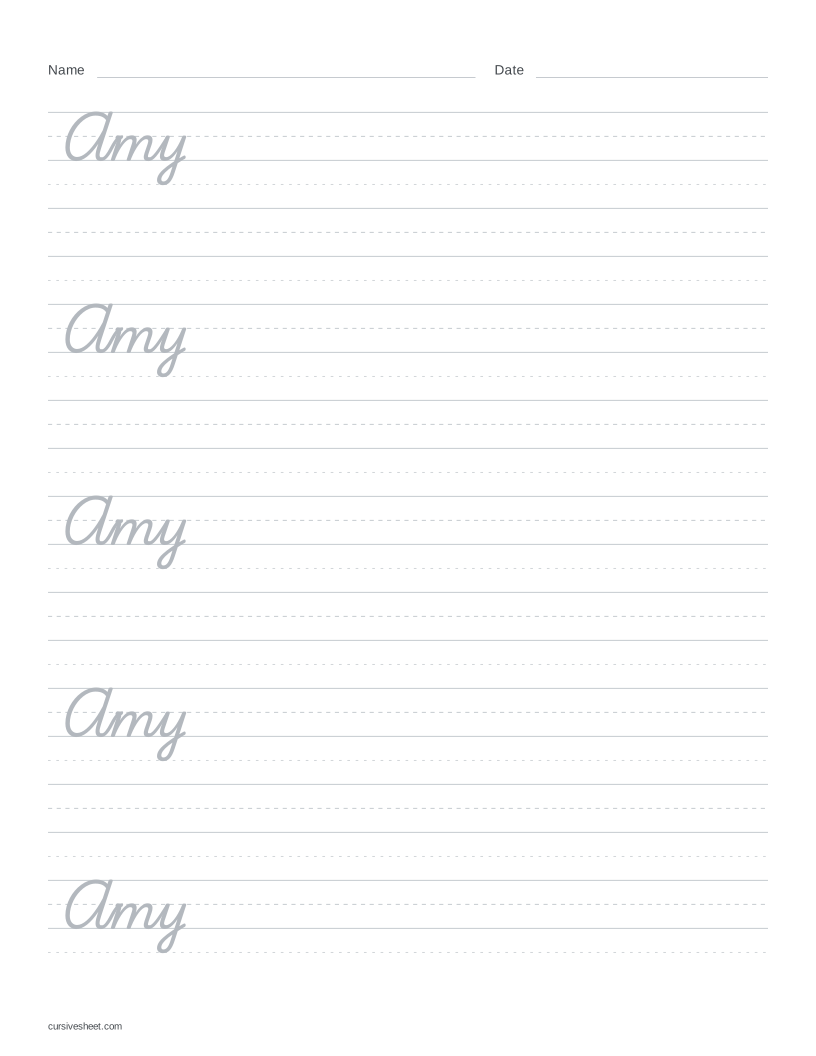
Make a cursive name worksheet
Type a first name, a first and last name, or a full name in Your text. My name clears the example and puts the cursor in the box. The other buttons load invented examples that you can replace.
Choose Traditional or Modern under Style, then a letter size under Size. Faded gives light letters for cursive name tracing; Outline gives hollow shapes, and Solid gives a dark model to copy. The starting sheet uses Medium letters and Trace + blank rows.
Select A4 or US Letter under Paper, check the preview, then choose Download PDF or Print. Print at actual size or 100% scale. A longer name wraps onto another model row; if the text fills the page, shorten it or use Fit to one page.
Capitals at the start of a name
For these examples, start each part of the name with a capital and follow it with lowercase letters. Traditional uses Playwrite US Trad; Modern uses Playwrite US Modern. Compare the preview with the model the learner has been asked to use.
Traditional joins A to m in Amy, A to n in Anna, and M to a in May. Modern leaves a visible gap after the capital in these names. These examples do not describe every capital. Follow the selected font’s preview. Do not add a connection it does not show.
Compare Traditional and Modern with the same letters and names
Several names for siblings or a small group
Load Several names to put Amy, Anna and May on separate model rows. Replace them with a few short names for siblings or a small group, pressing Enter between names. All examples here are invented for practice, not taken from a real person’s details.
The text box allows up to 280 characters, and every worksheet must fit on one page. Line breaks and letter size affect how many names fit; check the preview after editing or switching paper size. Fit to one page can adjust the layout when needed.
There is no batch export. For a whole class with a separate sheet for each learner, enter one name, download that PDF, then replace the name and generate the next sheet.
Trace the name, then write it on a blank row
For name tracing in cursive, trace one model name, then copy it on the blank row below. Compare your copy with the model, looking at the capital, the lowercase letters and the spaces between parts of the name.
Keep Trace + blank under More options for alternating model and blank rows. To see the name just once with blank rows below, choose Model once. Repeat a name across a single row by typing it more than once with spaces between copies.